
Type it or say it. Sharp does the phone chore.
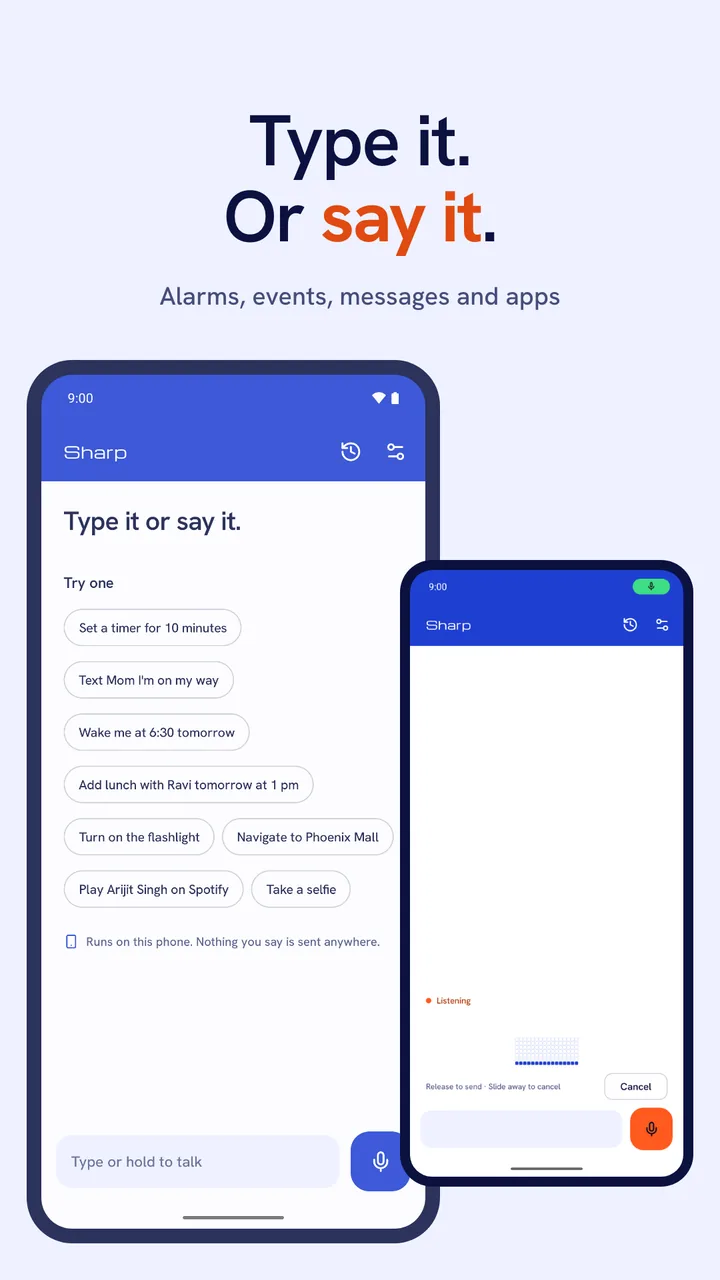
Sharp is a phone assistant for Android. Type or say a short command in English, such as “wake me at 6” or “text Mom I’m on my way”, and Sharp turns it into one action on your phone. Its built-in models run on the phone, with no account and, on most phones, nothing to download before you start.
For Android phones with Android 10 or later. English only.
What Sharp can do
Sharp has 20 actions in five groups. Each command becomes one of them, so “set a timer and text Mom” is two commands. You can ask in your own words: “wake me at 6”, “timer 10 minutes”, “add lunch with Ravi Friday at 1” or “play Arijit Singh on Spotify”.
- Time
- Add a calendar event, set an alarm or a timer, or show your alarms.
- People
- Start a text, a WhatsApp chat or an email with your words filled in, call a contact, or open a contact’s card.
- Device
- Turn the flashlight on or off; play, pause or skip music; change the volume; or open the right settings panel, such as Wi-Fi, Bluetooth or battery.
- Apps
- Open an app by name, get directions, search inside an app, play a song or a video, or open a ride app on your destination.
- Create
- Open the camera in photo, video or selfie mode, or start a note.
“wake me at 6:30”
An alarm for 6:30 am in your clock app, after you check the card.
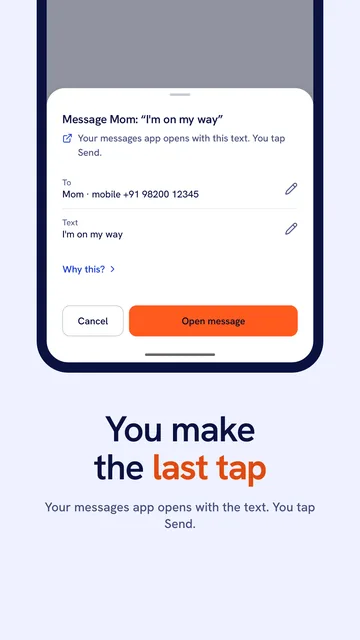
You make the last tap
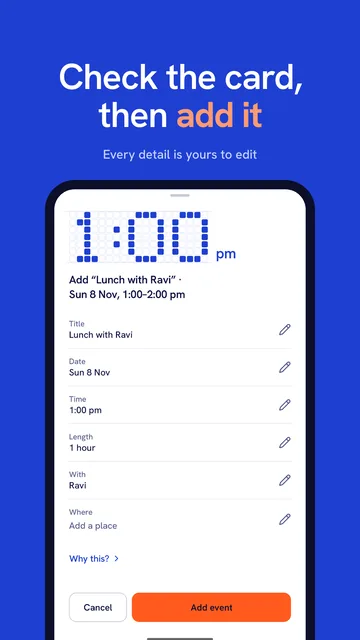
Messages, emails, calls, calendar events and rides always show a card first, or Sharp says it isn’t sure and asks you to rephrase. Every value on the card can be edited, and the button says what will happen. A message opens in your messaging app with the text ready, and you tap Send there.
If Sharp can’t work out who you mean or what time, it leaves that field empty on the card instead of guessing. Low-risk actions, such as the flashlight or pausing music, can run straight away when Sharp is sure of the command; otherwise you get a card to check.
When an action belongs in another app, Sharp opens that app with your text, search or destination ready, and you finish there. Sharp has hand-off routes for WhatsApp, Telegram, Signal, Spotify, YouTube, YouTube Music, Amazon, Flipkart, Zomato, Swiggy, Uber, Ola, Rapido and Google Keep. Only the YouTube and YouTube Music hand-offs have been tested, on an Android emulator; the other 14 routes (these apps, plus JioSaavn and the Play Store link) haven’t been run yet, so check that the app opened as you expected. Cards and hand-offs
Ways to ask
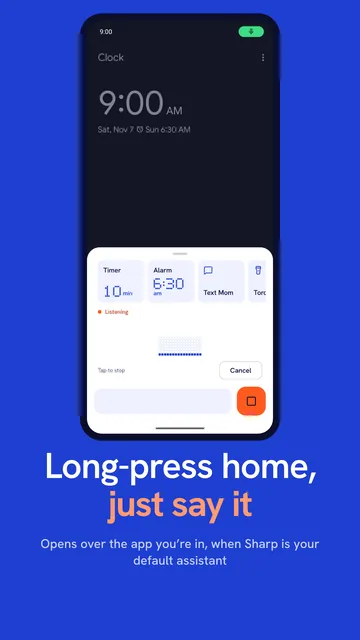
Type in the command bar, or hold the mic to talk and let go to stop. You can also tap the mic once and just stop talking. Sharp has an “Assistant” tile for Quick Settings, and if you make it your default digital assistant, a long-press of home or power opens it over the app you’re using.
The mic is on only while you are talking to Sharp. It has no wake word and never listens in the background. Speech is turned into text on the phone, and the card shows the words it heard.
Pins and Next up
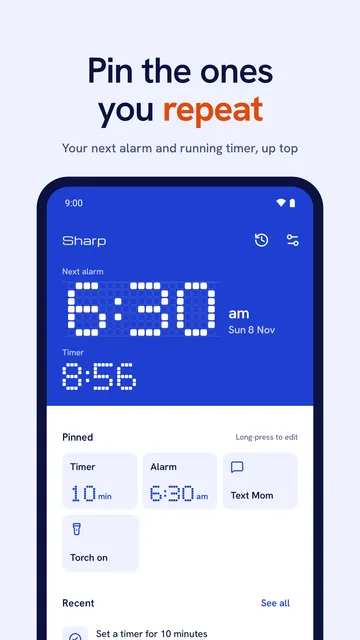
Pin a command you use often and run it again with one tap; you can keep up to 8. The top of the screen shows your next alarm and a running timer you started in Sharp. If you repeat a command around the same time on most days, Sharp may suggest a pin, but it never adds one by itself.
Runs on this phone
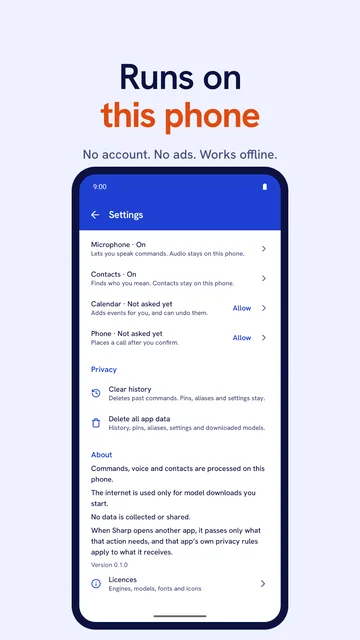
Sharp’s models run on your phone, and the built-in ones come inside the app, so it works offline from the first launch on most phones. The app has no account, ads or analytics. Its own network use is a model download you start, from Hugging Face or GitHub over HTTPS, after it shows you the size and licence.
- Commands and voice
- Processed on your phone
- Model downloads
- Only when you tap Download; the host receives the request like any web download
- Speak results (off by default)
- Read aloud by your phone’s text-to-speech engine, the one set in Android settings
- When Sharp opens another app
- That app gets only what the action needs, such as the message text and that one contact’s number
- History, pins, settings
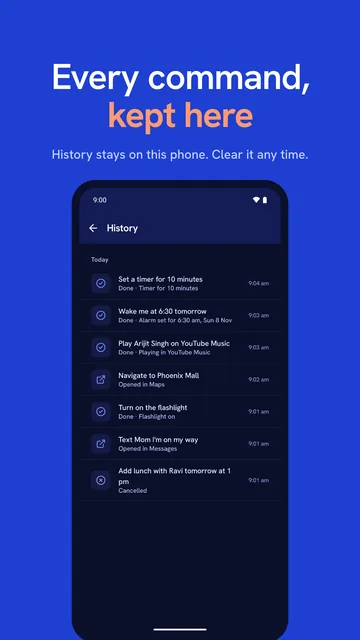
- Kept in the app; Settings has Clear history and Delete all app data
- Android backup
- Turned off: not copied to your Google account backup or to a new phone
Good to know
- English only, one command at a time.
- Sharp asks for a permission (microphone, contacts, calendar, phone) only the first time a command needs it. If you say no, it takes another route: the dialer opens with the number, or the Calendar app opens with the event filled in.
- Android doesn’t let apps switch Wi-Fi, Bluetooth or NFC on or off, so Sharp opens the panel and you flip the switch.
- Sharp doesn’t read your screen, and it doesn’t pay, buy or book for you.
- It can mishear or misread a command. Check the card, and check alarms and events in your clock or calendar app. Inputs and limits
Type it or say it, then check the card.