
A phone app worth showing off
Keys Dialer is a default phone app for Android: dial pad, contacts, call history, and its own incoming and in-call screens. Every caller gets a card with your last note and, where Keys can tell from the number, their local time. It has no ads, no account and no internet permission, so your notes stay on your phone.

For Android 10 or later.
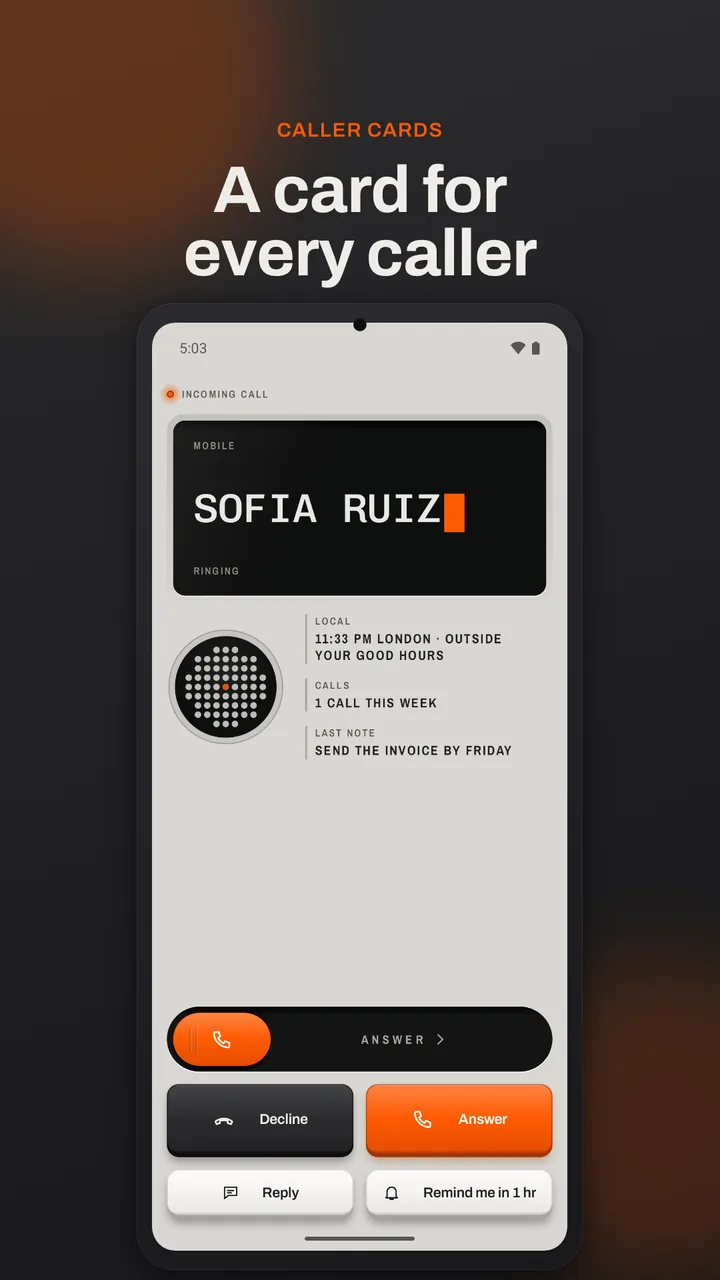
Who's calling, at a glance
When a call comes in, Keys shows a full-screen card: the name, number type and SIM, their local time, how many calls you've had in the last seven days, and the last note you wrote about them. Answer and Decline are big keys. You can also decline with a text or ask to be reminded in an hour.
A text reply declines the call, and your phone sends it as a normal SMS.
Incoming call
Sofia Ruiz
Mobile · ringing
Local
11:33 PM London · outside your good hours
Last note
Send the invoice by Friday
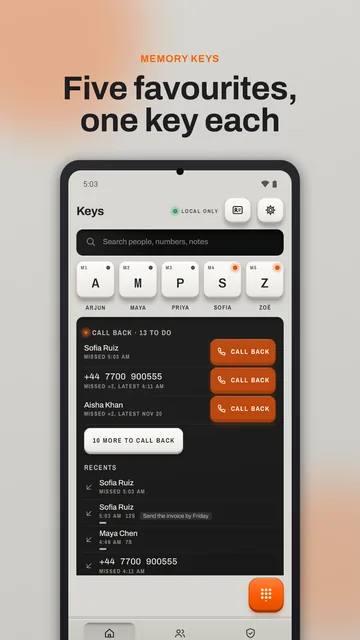
Calls you owe
Five favourites sit on Home as memory keys M1 to M5, and a key's light shows when you missed a call from that person. Missed calls collect in a call-back queue, one line per person however many times they rang. A call you return is marked Called back until you clear it or they miss you again.
Calls that Shield silenced or blocked don't join the queue. You find them in Shield's list instead.
Notes that come back
After a call, write a note, set a reminder for a time, for tomorrow or for their next call, and pin the note to their card. The pinned note shows as Last note the next time they call, so you pick up where you left off.
-
Remind me
At a time, or tomorrow
Reminders use Android's battery-friendly alarms, so one can arrive a little after the time you set. They need notifications switched on.
-
Next call
When they next call
No time and no alarm: the reminder shows on your next call with them.
-
Phone menus
Keys for automated lines
Save the keys for a phone menu, such as a bank's, on the contact's card and send them during the call, one tap each.
Your card and your month
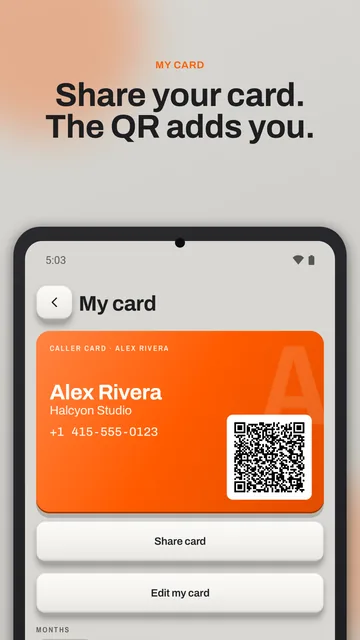
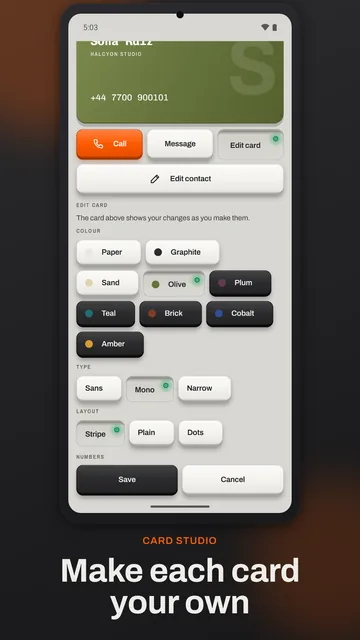
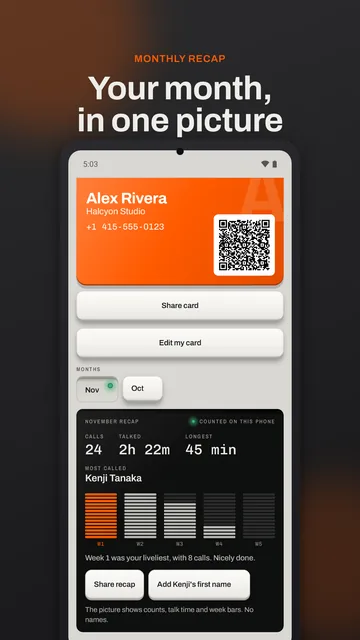
Style each person's card with its own colour, type and layout; some colours unlock as you use the app. Your own card carries a QR code that adds you as a contact. Once a month, share a picture of your calls, talk time, longest call and most-called person. It carries no names unless you add one.
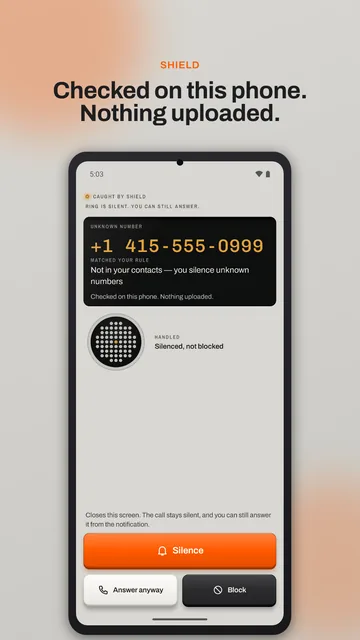
Shield, by your rules
Make Keys your call-screening app and Shield checks each incoming call on your phone against your own rules: silence numbers not in your contacts or starting with a prefix you list, and let repeat callers and favourites ring. The screen says which rule matched. Shield has no spam list and looks nothing up online.
Its rules start switched on. Calls from numbers not in your contacts, and from hidden numbers, ring silently until you change that in the Shield tab. Without contacts access, every caller counts as unknown. A silenced call still arrives and you can answer it from the notification. How Shield decides
What stays on your phone
Keys has no internet permission, so the app can't send your contacts, call history, notes or Shield rules anywhere. It makes no backups, so they don't move to a new phone, and uninstalling it deletes them. Calls use your phone network as usual. Your card and recap leave only when you share them.
- Internet permission
- Not requested
- Account, ads, analytics
- None
- Backup and phone transfer
- Turned off
- Shield checks
- On this phone
Screens from the app
Give your calls a face.