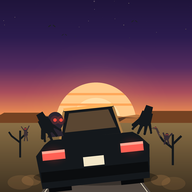
How Undead Driver works
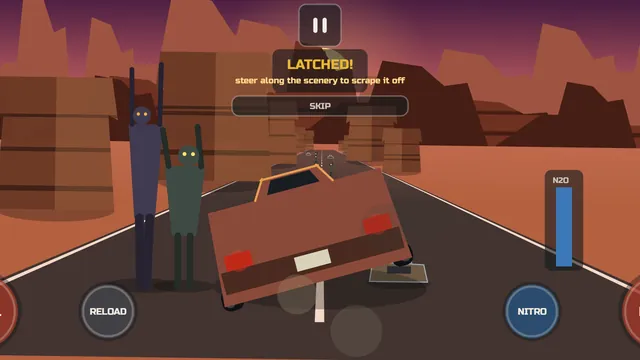
You drive an endless highway in landscape. Zombies stand by the road and leap at the car as you pass. Each one that latches on adds weight to its side, and the car tips toward it. Past a safe angle the car flips and the run ends, so you get zombies off before the tilt gets too steep.
Step 1Three ways to get a zombie off
Scrape: steer along wrecks, barriers or tunnel walls and the zombie on that side grinds off. Shoot: the left gun covers the left windows, the right gun the right, aiming at the biggest threat on that side. Nitro: target speed rises by 35 percent, three quarters of the pull is cancelled and scraping does double damage while it burns.
You can also run zombies down in the road, which costs some speed. A stunned zombie takes double damage. The starting sidearm has unlimited ammo.
Step 2Controls
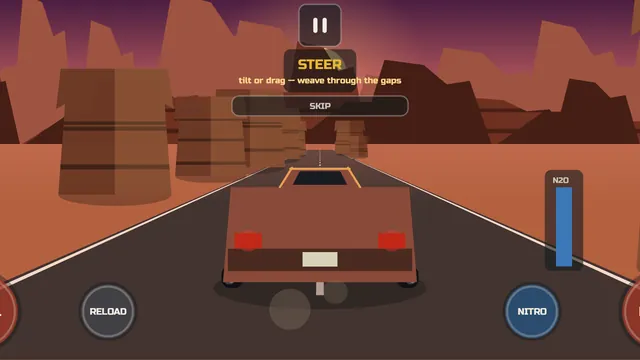
Choose Tilt, Drag or Buttons in Settings. Tilt is the default and steers by tilting the phone; you can calibrate it and set its sensitivity. Drag steers with your thumb, and Buttons gives you left and right pads. Fire, reload and nitro are on-screen buttons, and a button at the top centre pauses the run.
Pause stops the run completely. Restart or Exit from the pause screen abandons the run, and nothing from it is recorded.
Step 3Learning as you play
On your first runs, short cards appear at the moment each move is useful: STEER first, then LATCHED! when a zombie grabs on, then SHOOT IT OFF and NITRO READY. A first zombie is placed for you to practise on. One tap on SKIP turns the cards off; they come back only if you reset your progress.
Step 4Modes, objectives and gold
Classic is the standard run. Expert is harder and is never eased. The daily challenge sets one twist per day, such as half the nitro or jammed guns, and pays 50 gold the first time you reach its distance goal that day. Objectives pay cash, raise your class and open more of the garage.
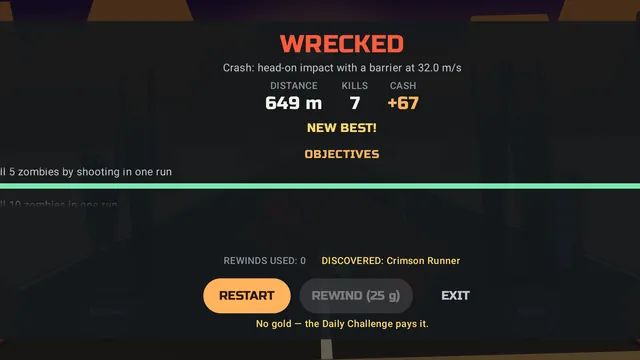
Cash from runs and objectives buys vehicles, weapons and upgrades. Gold pays for rewinds and lets you buy ahead of your class. A rewind steps back about three seconds and costs 25 gold, then 15 more for each further rewind in the same run. A ghost car replays your longest run in that environment beside you. Records keep your longest run overall, in each environment and without a rewind, plus lifetime totals and your last 20 runs.
Step 5Sound and feel
An engine note that rises with speed, ambience for each environment and synthesized effects; there is no music. The phone vibrates for grabs, scrapes, kills, near misses, nitro and crashes. Settings has Mute all sound, Effects volume and Haptic feedback.
Inputs and limits
- Android 10 or later, landscape only. The game turns to landscape and stays there. It was made and tested for phones; tablets have not been tested.
- Tilt steering needs a rotation sensor. Tilt is the default control and reads Android's rotation-vector sensor. On a phone without one, tilting does nothing and the game does not switch for you, so choose Drag or Buttons in Settings.
- No online play, leaderboards or cloud save. The app has no internet permission. The daily challenge gives every player the same twist and goal that day, but there is no way to compare results.
- The daily challenge follows your phone's date. One challenge per calendar day, taken from the phone's own date, with one of 8 twists and a distance goal of 1,000 to 2,750 m, doubled to 2,000 to 5,500 m on a Long Haul day. Reaching it pays 50 gold once that day.
- Gold is earned, not bought. Gold comes only from objectives, daily challenges and the first sighting of each rare variant; there are no purchases. Rewinds cost 25 gold, then 40, then 55, rising by 15 each time within a run.
- Rewind steps back about 3 seconds, to the last moment the run was still going.
- Leaving mid-run records nothing. Restart or Exit from the pause screen abandons the run: no distance, cash or objective progress is saved. A run that ends in a crash or a flip still pays its cash.
- Adaptive difficulty is on by default. In Classic and daily runs it thins out zombies and obstacles in each 500 m stretch where your runs keep ending, down to 60 percent of normal, and stretches you keep passing cleanly climb back and up to 115 percent. Expert is never eased. Switching it off in Settings returns every stretch to normal.
- No music. Sound is the engine, ambience for each environment and synthesized effects.
- Progress lives on this phone. Progress and settings are two files in the app's private storage. Android backup is off, so a new phone starts fresh, unless your phone maker's direct phone-to-phone transfer copies app data (Android 12 or later, some makers). Uninstalling, or clearing the app's storage in Android settings, deletes both; Reset progress in Settings erases progress and keeps settings.
- Flashing effects. The screen flashes on impacts, crashes and nitro, and a red glow pulses at the edges as the car tips. Reduced flash in Settings dims the flashes to about a third and makes the edge glow steady and smaller. The game has not been tested for photosensitive players.