Your next message, already written
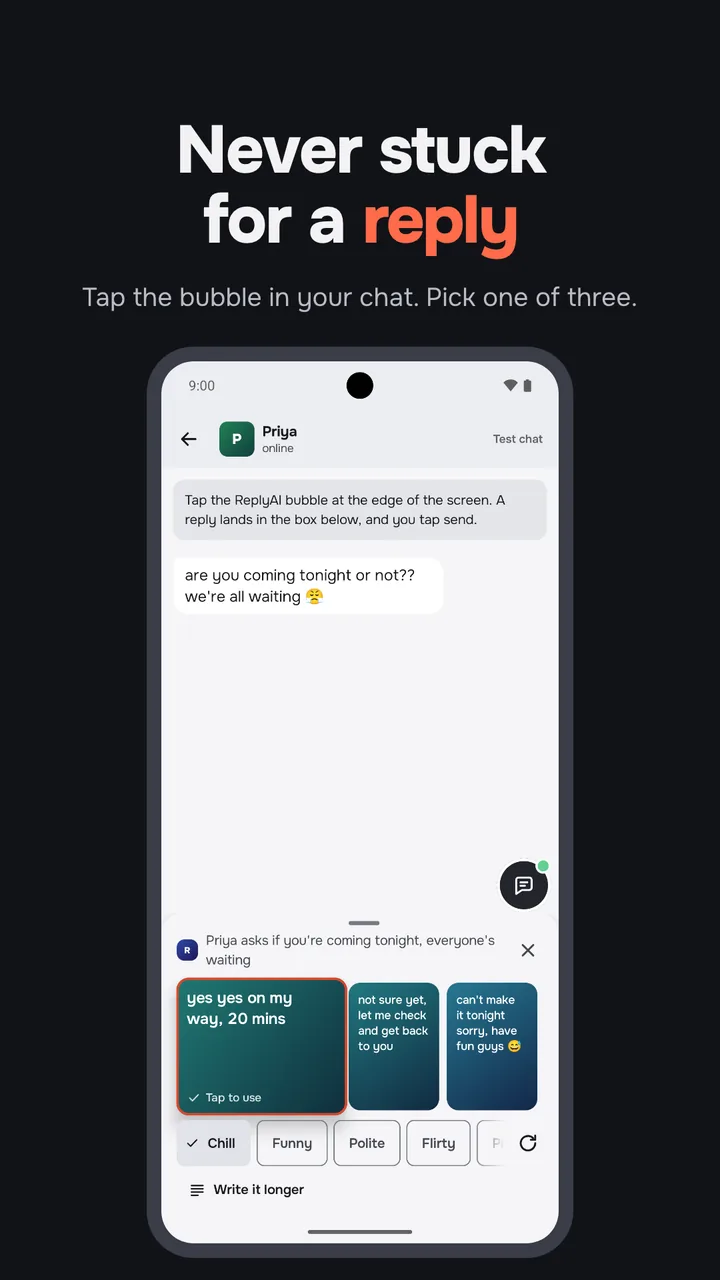
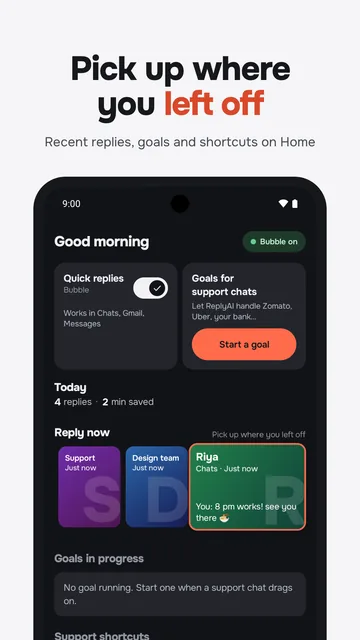
ReplyAI puts a small bubble in the chat apps you choose. Tap it for three replies in your tone, then tap one to place it in your text box. You tap send.

For Android 11 and later. Free to download, no account. You need your own paid API key from the AI company you pick, and that company bills you for what you use.
What ReplyAI is
ReplyAI is an Android app by Sonicon Software that writes reply ideas inside the chat apps you choose. Tap its bubble for three replies in the tone you pick; for support chats it can work toward a goal you set. It uses the AI service you choose, with your own API key, and has no server of its own.
Tap the bubble, pick a reply
Open a chat in one of the apps on your bubble list and tap the ReplyAI bubble. It reads the messages on screen and offers three different replies in the tone you pick: Chill, Funny, Polite, Flirty or Pro. Tap one and it lands in your text box. You can swap the tone, ask again or make them longer.
The replies are written by the AI service you chose. They can be wrong or add details that aren't in the chat, like the arrival time in the screenshot above, so read one before you send it.
- Chill
- Funny
- Polite
- Flirty
- Pro
Priyaare you coming tonight or not?? we're all waiting
- Leaving in 10! Save me a seatTap to use
- Running late, so sorry. Be there by 9
- Can't make it tonight, next round's on me?
- Chill
- Funny
- Polite
- Flirty
- Pro
Goals for support chats
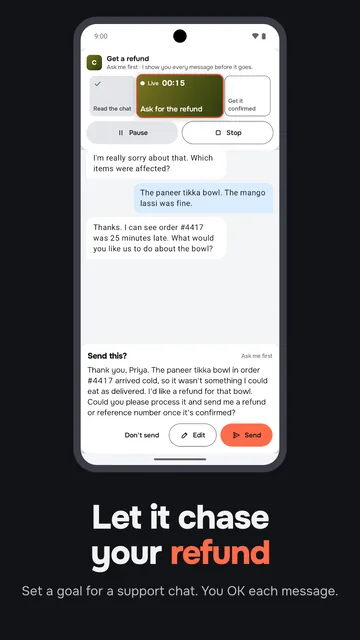
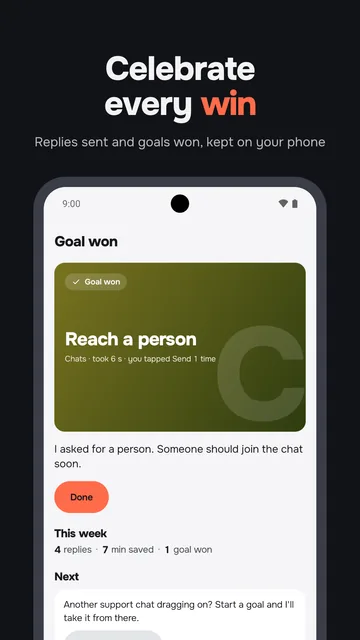
For a chat with a company's support, start a goal: get a refund, reach a human, summarise the chat or write my reply. Pick the app and a time limit of 5, 10, 15 or 30 minutes. Choose Just suggest, Ask me first, or Send for me, which sends messages itself in that one app.
- Just suggest
- It writes each message. You send it.
- Ask me first
- You see every message and tap Send, Edit or Don't send.
- Send for me
- It sends messages itself, in the one app you picked.
- Pause or stop
- From the goal strip, the notification or the Quick Settings tile.
One goal runs at a time. A goal works toward what you picked; it can't promise the company will agree.
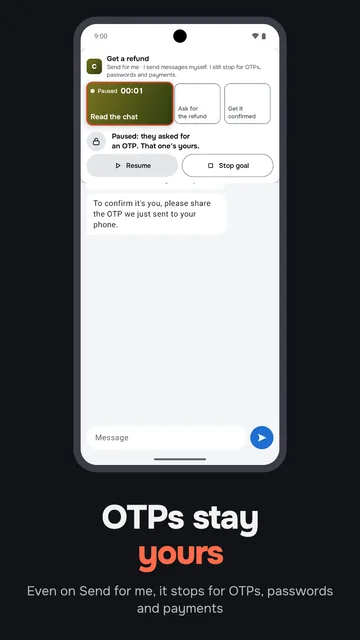
It pauses when the chat asks for what's yours, by name
When the chat on screen asks for an OTP, a password, a payment, a credit or debit card, bank account details, identity verification or a CAPTCHA using those words, ReplyAI pauses and hands back to you, even on Send for me. It matches English keywords only, so a request worded another way does not pause it.
To confirm it's you, please share the OTP we just sent to your phone.
PausesPlease share your password
PausesPlease share the 6-digit code we just texted you
Doesn't pauseWhat's your PIN?
Doesn't pausePlease share your card details to process the refund
Doesn't pause- The same OTP request written in Hindi scriptDoesn't pause
It never types into a password field. The pause is a help, not a promise: read anything that asks for a code, PIN or card yourself.
Your AI, your key
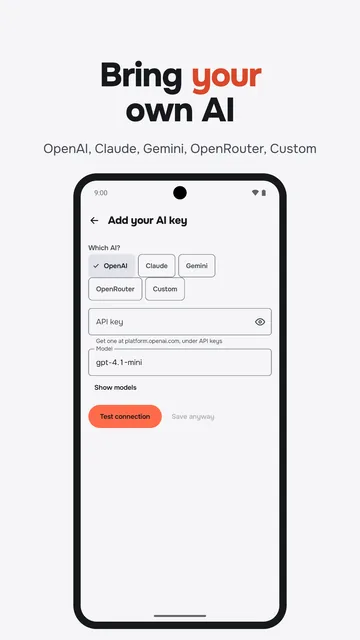
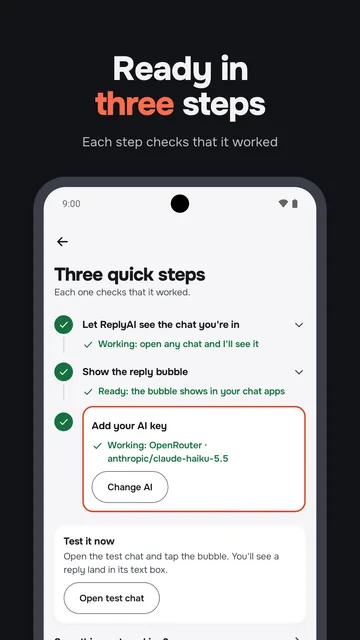
ReplyAI calls the AI service you set up, straight from your phone over HTTPS: OpenAI, Anthropic's Claude, Google Gemini, OpenRouter, or a custom OpenAI-compatible address. You need your own paid API key, and that company bills you for what you use. A Test connection button checks the key, which is encrypted on your phone.
ReplyAI has no AI of its own and no server. The company you pick handles your chat under its own privacy policy and terms.
Privacy in short
ReplyAI has no server, and Sonicon receives nothing from it. When you tap the bubble or run a goal, the chat goes from your phone to the AI service you chose. Text that looks like a key, password or labelled code is hidden first; names, phone numbers, addresses and emails are sent as written.
- Reads the chat
- When you tap the bubble or a goal is running
- Chat text goes to
- The AI service you chose, with your key
- Ads, analytics, account in the app
- None
- Google account backup
- A few settings, including your bubble-app list and optional first name
What ReplyAI doesn't do
- It has no AI of its own. Without your own paid API key it can only show the fixed example on its Welcome screen.
- It doesn't catch every request for a code or payment: the pause matches English keywords only. How the pause works
- It doesn't hide phone numbers, addresses, emails or codes without a label before they go to your AI service.
- It can't read chat apps that don't expose their messages to Android's accessibility layer.
- It has no button in the app to report a bad AI reply. Email sonicon.software@gmail.com instead.
Screens from the app
Read the chat, pick a reply, send it yourself.