How Redlight Greenlight works
Redlight Greenlight is an Android app by Sonicon Software with mini games for one shared phone. Two players can play on the same screen, or one player can take on Robo, the built-in bot, at Easy, Normal or Hard. It has no ads, no accounts and no in-app purchases, and it doesn't use the internet.
Step 1Tap a game
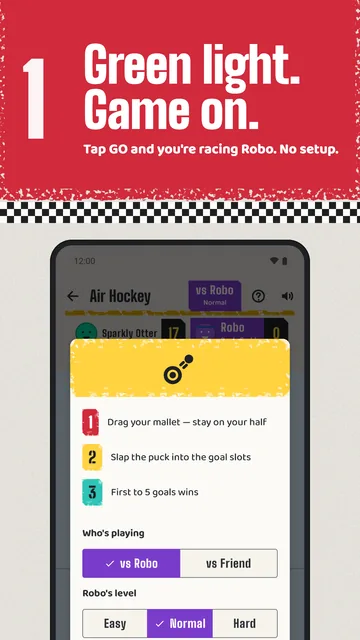
There is no setup screen. Tap a game's lane, or the green light on Today's Race, and the game starts. The first time, a short card shows how to play and lets you pick who's playing. You start with a generated name and avatar, and can change both in your profile.
Step 2Who's playing
Each game offers the modes it supports: Solo, vs Robo or vs Friend. Most games start against Robo; Flappy Race and Merge Race start solo. Switch modes from the chip in the game's top bar or from the result screen, and each game remembers your last choice and Robo's level.
Step 3Robo's levels and ranks
Most games start against Robo, the built-in bot. Pick Easy, Normal or Hard in the game's settings, and the game remembers your choice. Hard is tuned so a good player can still win. Wins against Robo raise its rank at each level, from Rookie through Buddy, Challenger, Pro and Champion to Legend.
Robo ranks and Robo stickers come only from games against Robo. Solo runs keep a top score and count as played.
Step 4Rewards
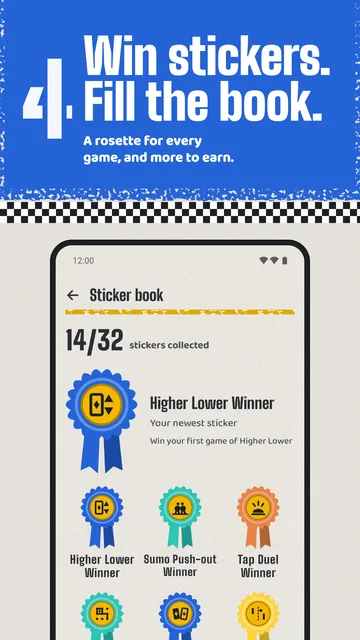
Every finished game earns XP: more for a win, less for a tie or a loss, so every game counts. XP raises your level, up to level 50. Stickers mark firsts, such as your first win in each game, your first Cup and streak milestones. New levels and stickers unlock avatar colours, faces and accessories.
Step 5Today's Race
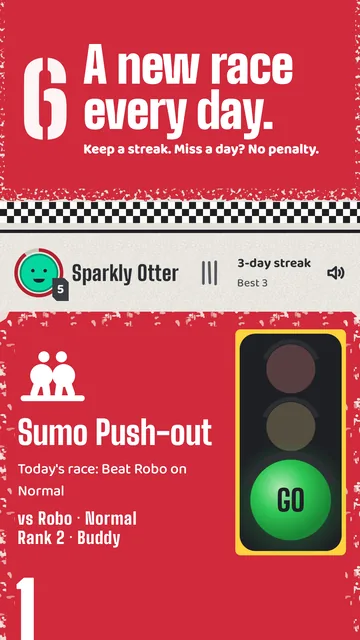
Each day one game is Today's Race, with a small goal such as playing a round or beating Robo on a set level. Finish it to grow a streak. Miss a day and the count starts again; nothing else is lost. Wins and firsts earn stickers, and play raises your level and unlocks new looks for your avatar.
Step 6The Cup
The Cup is a short tournament of 3, 5 or 7 random games, against Robo or a friend, with a running tally. Whoever wins the most games lifts the cup. "Surprise me" on the home screen picks one random game instead. Results and the last ten Cups are kept in your stats.
Inputs and limits
- Flappy Race is solo only: no Robo, no friend. Merge Race starts in Solo (reach the 2048 tile), with Robo and friend as extras. Diyas has no solo mode.
- One phone only. No online play, no Bluetooth or second-device play, no matchmaking.
- Board games take turns; action games split the screen.
- Robo has Easy, Normal and Hard. Hard is tuned to be beatable: the app's tests check that a perfectly played opponent beats Hard Robo in every game where skill decides. Pure-luck games are left out of that test.
- Solo runs keep a top score and count as played, not as a win. Robo ranks and Robo stickers come only from games against Robo.
- Reset scores clears wins, games played and Cup history; names, looks, levels and stickers stay. Everything else goes only by clearing the app's storage in Android settings or uninstalling.
- Diwali decoration: Diyas shows a marigold garland and a fuller rangoli only inside the Diwali window built into the app (2026: 5 to 12 November).
- Player names: player one and the friend start with generated names and avatars; rename them in the profile.
- Sound and haptics are optional (mute switch). With Android's reduced-motion setting on, the app drops its heavy animation.
Get Redlight Greenlight