Noise and ambient sound mixes for sleep, a baby's nap and focus
Open it and tap Play. Free, with no ads, no account and no internet permission.

Android 8.0 or later. Nothing to buy inside the app.
What Greyscale is
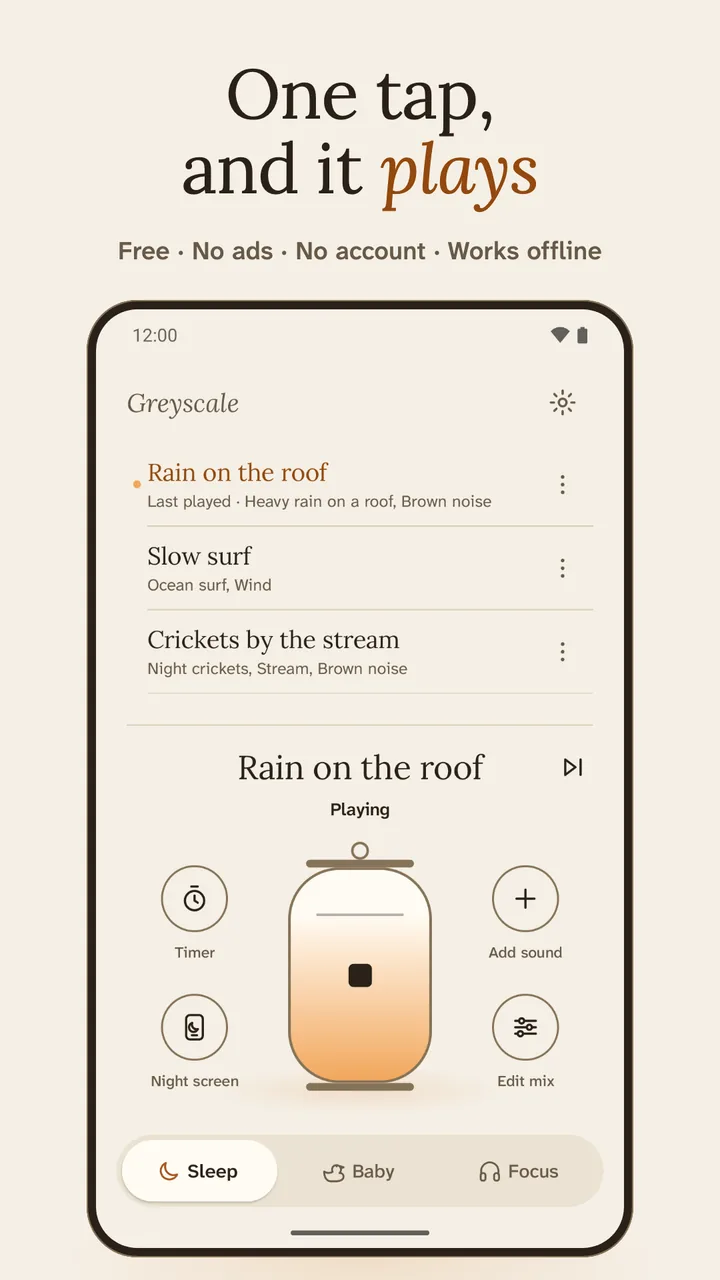
Greyscale is a free Android app by Sonicon Software that plays noise and ambient sound mixes for falling asleep, settling a baby and focusing. It has 19 sounds, a mixer for up to five layers, a sleep timer that fades out, and controls in the notification, a Quick Settings tile and a widget. It has no ads, no account and no internet permission.
Three modes
Greyscale has three modes that share one sound engine. Sleep fades in over 15 seconds and suggests a 45-minute timer. Baby starts quieter, with a volume cap and a placement tip. Focus plays alongside your music, with optional work and break rounds. On a fresh install it opens in Sleep from 19:00 to 05:00 and in Focus by day.
Sleep
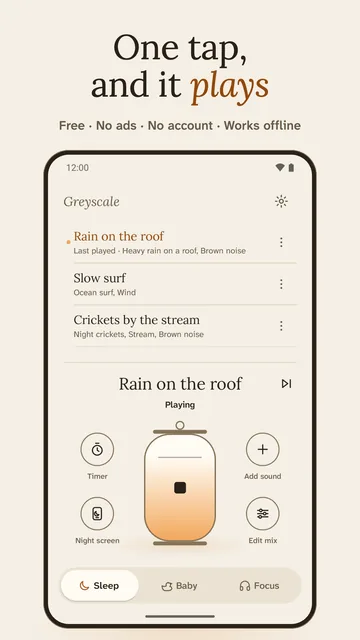
Fades in over 15 seconds by default. A 45-minute timer is suggested, not forced, and it fades out over 2 minutes. Built-in mixes include Rain on the roof and Slow surf.
Baby
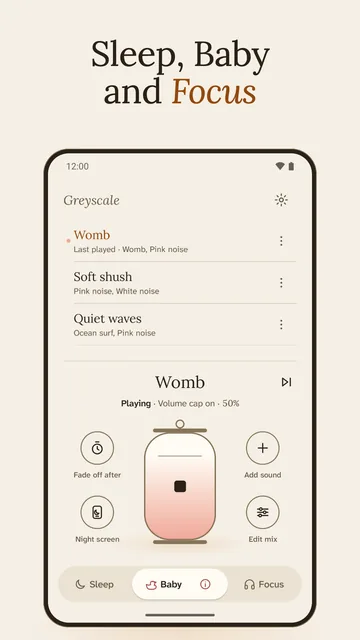
Starts at a low volume, with a volume cap on Greyscale's own sound (on at 50% by default) and a one-time placement tip. Fade off after 30, 60 or 120 minutes. Leaves out thunder and forest birds.
Focus
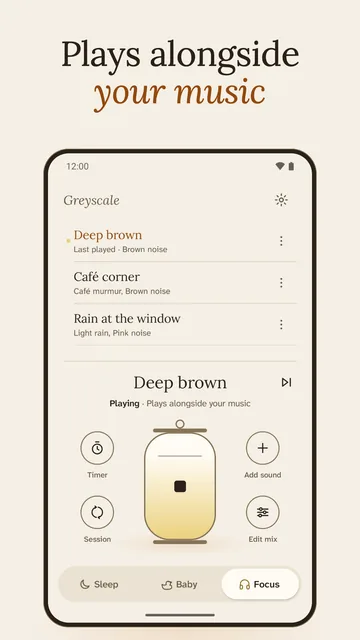
Plays alongside music or podcasts. Optional rounds of work and break, 25 and 5 minutes to start, with a soft chime you can turn off. No streaks.
19 sounds, up to five at once
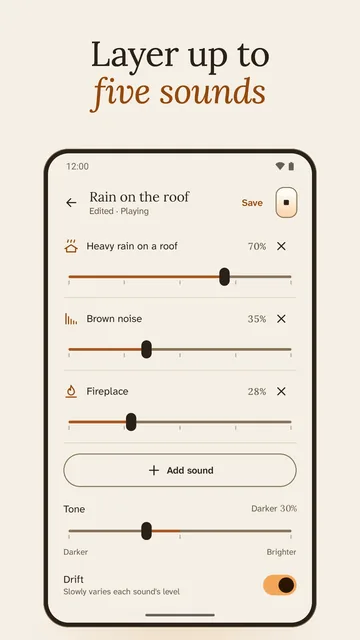
Greyscale has 19 sounds in three groups: seven noise colours, four steady sounds and eight nature and places recordings. Layer up to five in the mixer, each with its own volume. Tone makes the whole mix darker or brighter, and Drift slowly varies each sound's level. Save, rename and reorder your own mixes.
- Noise colours
- White, pink, brown, grey, blue, violet, green
- Steady
- Fan, wind, ocean surf, womb
- Nature and places
- Light rain, heavy rain on a roof, distant thunder, stream, fireplace, night crickets, forest birds, café murmur
A timer that fades out
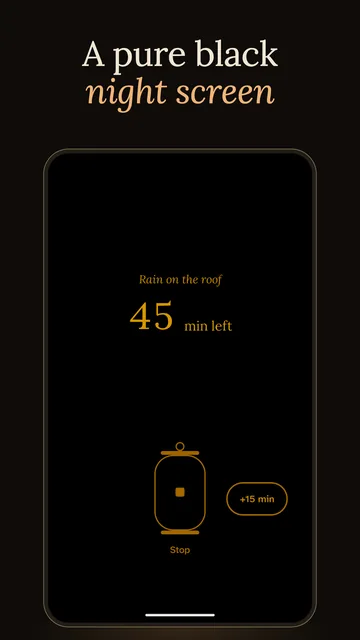
The timer fades the sound out over a length you choose, from 30 seconds to 10 minutes, instead of cutting it off. Sleep suggests 45 minutes, Baby offers 30, 60 or 120, and the notification's Timer button steps through 15 to 90 minutes. At night, a pure black screen shows the time left in dim amber.
One tap from anywhere
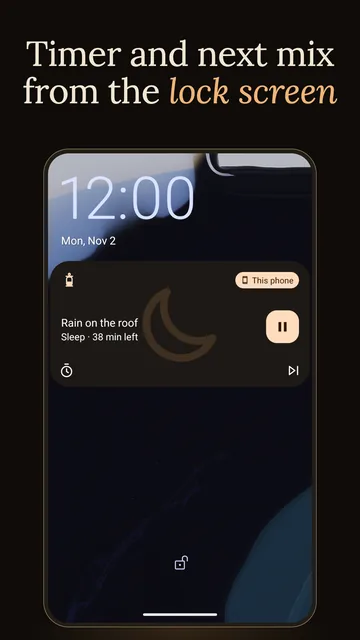
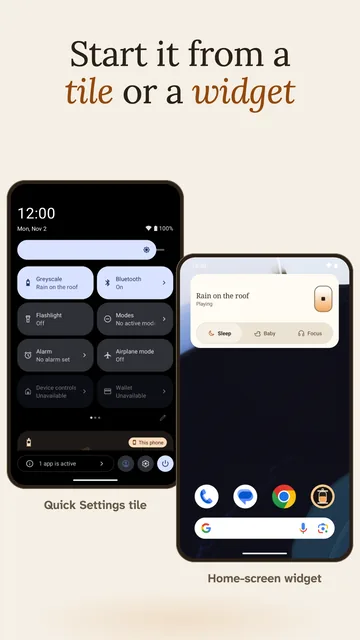
You don't need to open the app to start or stop the sound. The Quick Settings tile toggles your last mix, the home-screen widget has Play, Stop and the three modes, and the notification on the lock screen has Play and Pause, a Timer button and Next mix. Headset and Bluetooth buttons work once a mix has played.
Built for a dark room
Light and dark themes, with dark from 19:00 to 05:00 if you leave Dark at night on. The app starts on a dark frame, and the night screen is pure black with dim amber text; tap anywhere for Stop or +15 min. Controls carry TalkBack labels, and tablets get a two-pane layout.
What Greyscale is not
- Greyscale plays sound. It isn't a sleep tracker, a baby monitor, a sound-level meter or an alarm clock.
- It doesn't stream or download: every sound is inside the app.
- It is in English only.
Privacy in one paragraph
Greyscale has no account, no ads, no analytics and no internet permission, so it can't send anything to us or anyone else. Your saved mixes and settings stay in the app's storage on your phone; Android's own backup can copy that one file to your Google account or a new phone. Read the privacy policy.
Screens from the app
Get Greyscale
Free for Android 8.0 or later. Nothing to buy inside the app.