
Block unwanted calls with rules you write
For calls from numbers not in your contacts. Calls from your contacts aren't screened; they ring as normal.

For Android 10 and later. No account and no internet permission.
What Decline is
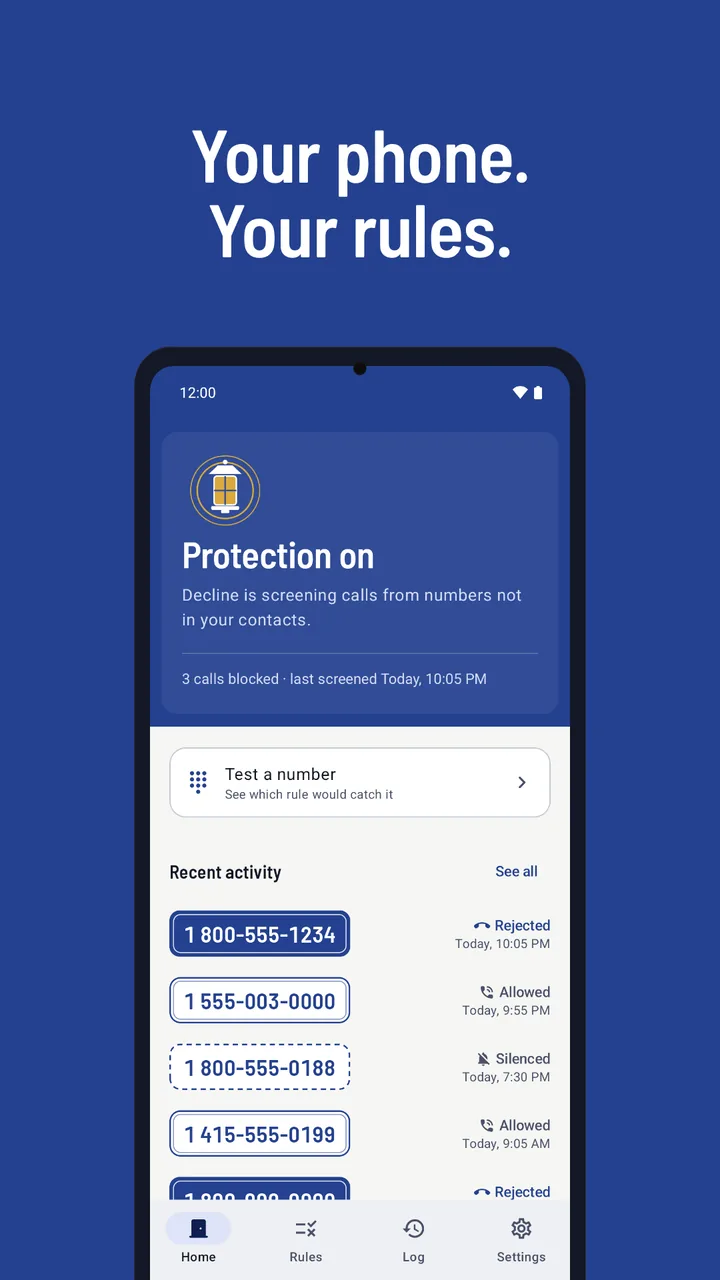
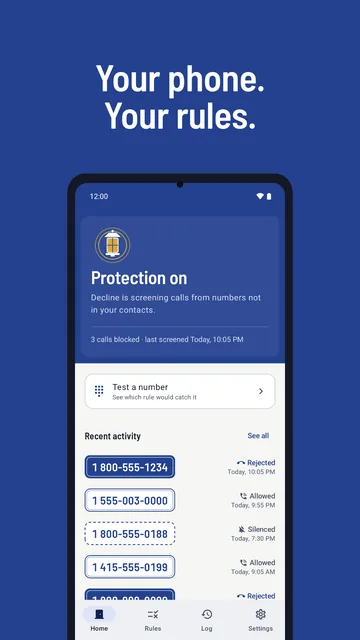
Decline is a call blocker for Android 10 and later. It uses Android's call screening role to check each call from a number not in your contacts against rules you write: block and allow lists, starts with, ends with, contains and simple patterns. Matching calls are rejected or silenced. It has no spam database and no internet permission.
Your rules, in plain words
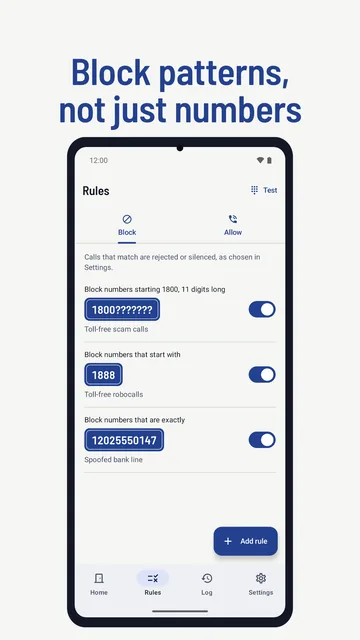
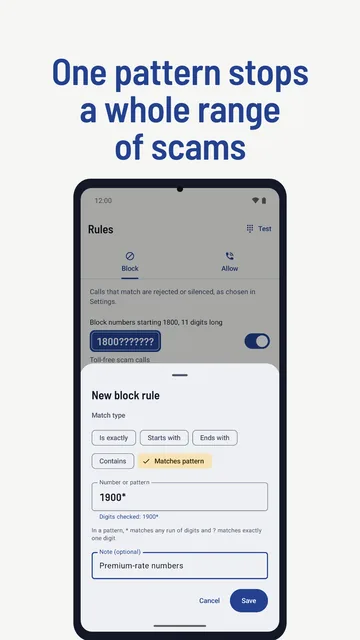
Add a block rule for one number, or for every number that starts with, ends with or contains some digits. Patterns go further: * stands for any run of digits and ? for exactly one, so 1800??????? covers 1800 followed by seven digits. An allow rule beats any block rule, so one number can still ring.
-
Block the number that is exactly 12025550147
Block and allow lists: exact numbers you never want to hear from, or want to ring no matter what.
-
Block numbers that start with 1888
One rule for a whole series, such as numbers starting 1888. Ends with and contains work the same way.
-
Block numbers that match 1800???????
A pattern:
*is any run of digits,?is one digit. This one means 1800 and seven more digits. -
Allow numbers that end with 9876543210
An allow rule beats any block rule, so this number rings even if a block rule covers it.
Solid plates are block rules, outlined plates are allow rules, as in the app. Numbers on this page are examples.
Test a number before you trust it
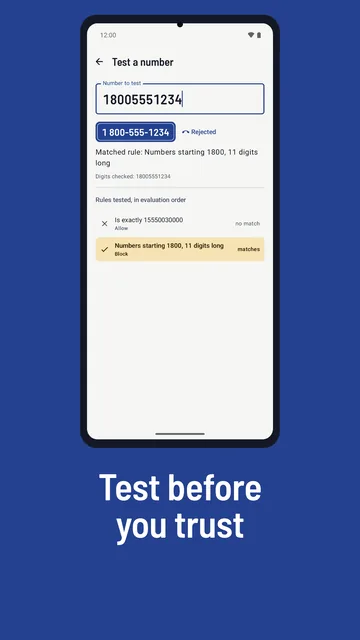
Type any number into the test box and Decline runs it through the same check live screening uses. It lists each rule it tried, in order, whether that rule matched, and the result with its reason, such as "Matched rule: Numbers starting 1800, 11 digits long". You see what a rule does before a real call arrives.
Matched rule: Numbers starting 1800, 11 digits long
Digits checked: 18005551234
Rules tested, in evaluation order
- Is exactly 15550030000Allow no match
- Numbers starting 1800, 11 digits longBlock matches
Every decision has a reason
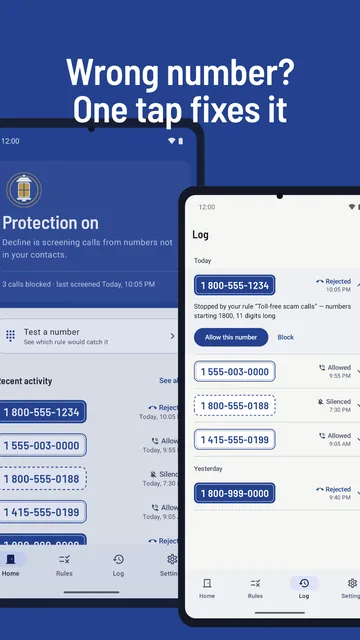
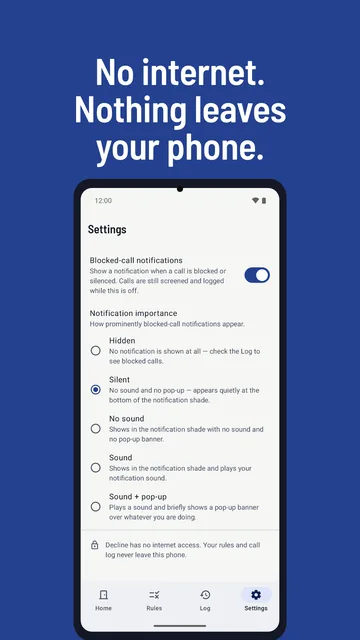
Every call Decline screens goes into its log with the number, the time, the result and the rule or mode that decided it. Tap an entry to allow or block that number. Blocked calls can also show a notification, silent by default, with an Allow button that lets that number ring from then on.
The fix on offer is the opposite of what happened: a stopped call offers Allow this number, and a call that rang offers Block this number.
Reject or silence, your choice
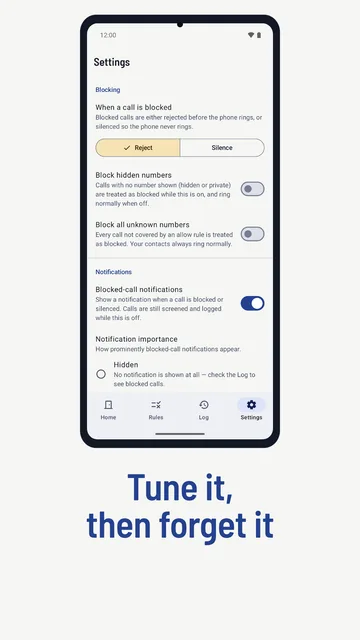
Pick one action for blocked calls in Settings. Reject declines the call before the phone rings, and your phone's call history still lists it. Silence lets the call come in without ringing. Two switches go further: block hidden numbers, and block every number that no allow rule covers.
- Block hidden numbers
- Calls that arrive with no number, shown as hidden or private.
- Block all unknown numbers
- Every call that shows a number and isn't covered by an allow rule. It doesn't catch hidden callers, so turn on both to stop both kinds.
-
1 800-555-1234Rejected
Declined before the phone rings.
-
1 800-555-0188Silenced
The call comes in, but the phone doesn't ring.
-
1 555-003-0000Allowed
No rule or mode stopped it, so it rang.
Nothing leaves your phone
Decline doesn't request Android's internet permission, so it can't send anything off your phone. It has no account, ads, analytics or crash reporting. It doesn't read your contacts, call history or messages. Your rules, settings and call log stay in the app's private storage, and Android backup is turned off for it.
- Internet permission
- Not requested
- Contacts, call history, messages
- Not read
- Account, ads, analytics
- None
- Android backup
- Turned off
What Decline doesn't do
- It doesn't use a spam database or look up who's calling. It only knows your rules.
- It doesn't screen calls from your contacts; Android sends them straight through.
- It doesn't read or block text messages.
- It has no quiet hours or schedules.
- It doesn't change numbers for country codes, so check prefixes in the test box. How country codes work
Screens from the app
Let your own rules answer the door.