
Every session starts clean
Blackdrift is a private web browser for Android phones. It blocks many ad, analytics and social trackers on the pages you visit, and one tap on Erase removes your browsing history, cookies and cache. There is no account and no sign-in, and Blackdrift sends no telemetry, usage data or crash reports to anyone.

Free, with no in-app purchases and no ads of its own. For Android 8.0 or later on phones with a 64-bit ARM processor.
What Blackdrift does
Blackdrift does three things by default. It blocks trackers while you browse, it erases your session when you tap Erase, and it keeps its own reports to itself: no usage data or crash reports leave your phone. You can read what it does not do on the How it works page.
Blocks trackers as you browse
Advertising, analytics and social trackers are blocked by default. The shield in the address bar shows what was blocked on a site, and you can turn protection off for one site if it breaks.
Erase in one tap
Tap Erase in the toolbar, or tap the Blackdrift notification while the app is open. Your history, cookies and cache are gone, and the next page starts a fresh session.
No telemetry
No usage data, no crash reports, no account. The browser engine still downloads tracker lists and settings from Mozilla, with no user ID: who Blackdrift talks to.
Screens from the app
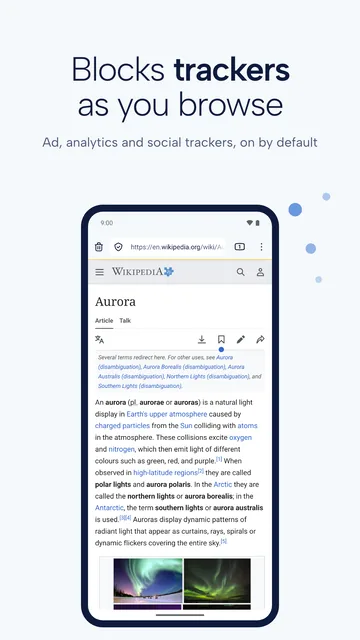
Trackers are blocked as you browse; the shield and Erase sit in the toolbar. 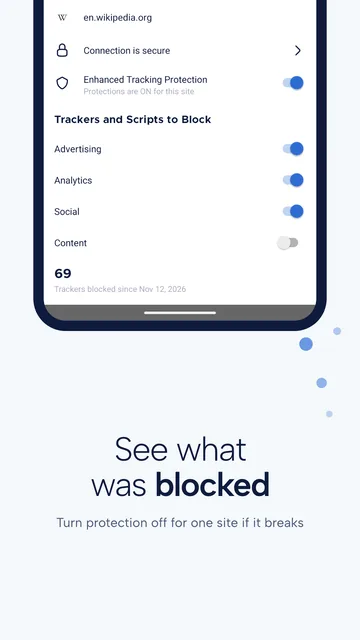
See what was blocked on a site, and turn protection off there if it breaks. 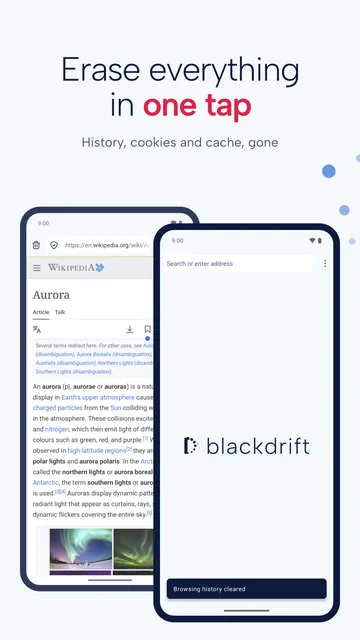
One tap on Erase: history, cookies and cache are gone. 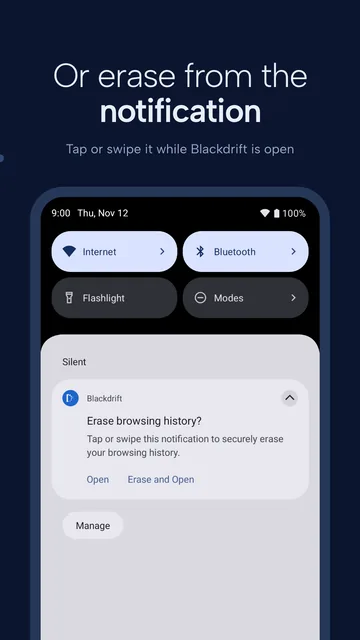
Or erase from the notification while Blackdrift is open. 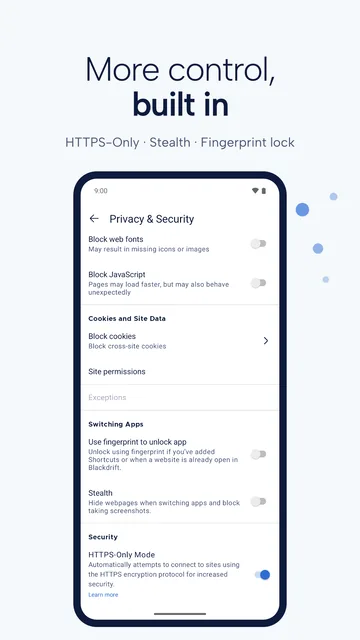
HTTPS-Only mode, Stealth, fingerprint lock and cookie options. 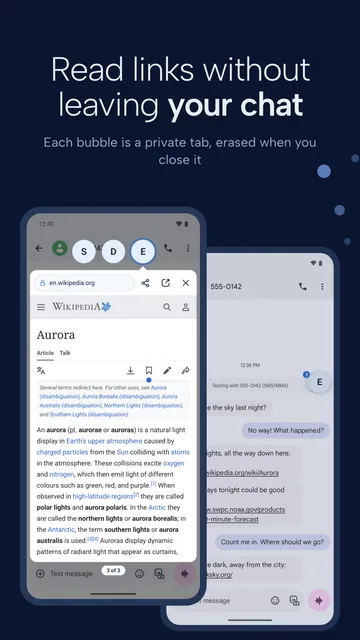
Optional link bubbles: each is a private tab, erased when you close it.
Link bubbles, if you want them
Turn on “Open links as bubbles” in Settings, under General. Links you tap in other apps then float as bubbles, and you stay in the app you are using. Each bubble is a private tab: closing it erases it, and erasing your session erases every bubble. Bubbles are off until you turn them on.
- Tap the bubbles to read the pages in a floating window, switch between them, share a page or open it in Blackdrift.
- Up to 8 bubbles at a time. Opening one more closes the oldest.
- Android asks you to allow “Display over other apps”. Blackdrift uses it only to show your bubbles; without it, links open normally.
More control, built in
- HTTPS-Only mode and cookie blocking options.
- Lock Blackdrift with your fingerprint or face if you want to.
- Stealth hides pages from screenshots and the recent apps screen.
- Choose your search engine. Search suggestions stay off until you turn them on.
- Add your favourite sites to the home screen, and start a search from the home screen widget.
- Open links in the apps they belong to, or keep them in Blackdrift.
Privacy in one paragraph
Blackdrift has no account and no server of ours. Pages and searches go straight to the sites and search engine you choose, and your session stays on your phone until you erase it. Nothing is backed up. The browser engine downloads public lists from Mozilla and checks your connection, without a user ID. Read the Blackdrift privacy policy.
Browse, then let it drift away.